Fuel and consumption
Record fill-ups, quantity, price, consumption, cost, distance, and fuel trends over time.
By David Moreira · Updated
COMPARING AUTOZIS AND FUELLY?
Fuelly is well known for tracking fill-ups, MPG, fuel costs, and real-world fuel economy. It also supports maintenance records, service reminders, attachments, and multiple vehicles.
Autozis takes a different approach: fuel tracking is part of a broader digital vehicle history that can also include maintenance, mileage, trips, receipts, expenses, EV charging, reminders, documents, and vehicle insights.
If you're comparing Autozis vs Fuelly, the better fit depends on what you want to track.
Keep your fuel records connected to the rest of your vehicle history.
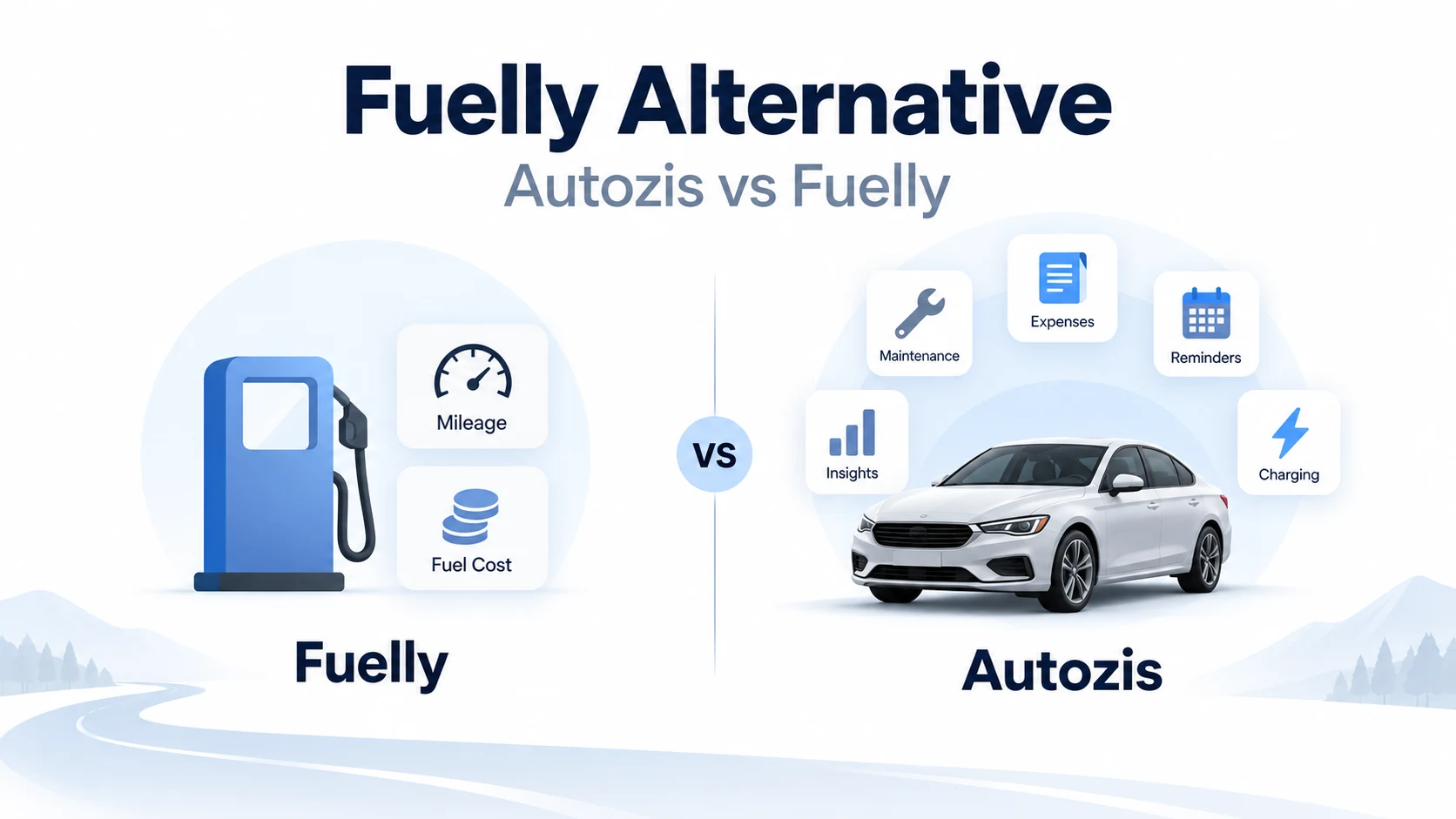
Fuelly is a strong choice if fuel economy, fill-up tracking, MPG trends, and comparing real-world fuel consumption are your main priorities.
Autozis is worth considering if you want fuel data to live alongside a wider vehicle record — including maintenance, mileage, trips, expenses, receipts, EV charging, reminders, and other ownership information.
Neither approach is automatically better for every driver. The difference is mainly whether you want a fuel-focused tracking workflow or a broader digital garage.
Fuelly has built its identity around one of the most useful numbers for combustion-car owners: real-world fuel economy.
Instead of relying only on an official MPG figure, drivers can record their own fill-ups and see how consumption changes over time. Fuelly also makes it possible to compare real-world fuel economy data across vehicles.
Its current app goes beyond fill-ups as well, with maintenance records, service reminders, attachments, cost charts, and support for multiple vehicles. For drivers primarily interested in MPG and fuel costs, that focused workflow can be exactly what they need.
Autozis also tracks fuel consumption and costs, but fuel is treated as one part of the vehicle's overall history.
A car generates much more than fill-ups: services and repairs, mileage, business and personal trips, receipts, inspections, parking and tolls, insurance and other expenses, maintenance reminders, EV charging, documents, and vehicle statistics.
Autozis keeps those records connected to the vehicle they belong to. That becomes increasingly useful when the question changes from “What MPG am I getting?” to “What has this car actually cost me, what work has been done, and what is coming next?”
Both products can help drivers record fuel activity and maintain vehicle records. The table highlights where their emphasis and available workflows differ.
Reviewed 1 October 2026 using Fuelly’s website, its official iPhone listing and aCar documentation. Fuelly capability statements below come from those published sources; they are not a hands-on test of every version. Autozis descriptions reflect its implemented workflows. Absence from a listing does not prove a feature is unavailable. Check current store pricing and plan limits.
| Feature | Fuelly | Autozis |
|---|---|---|
| Fuel / fill-up tracking | Yes | Yes |
| Fuel economy / consumption statistics | Yes | Yes |
| Maintenance records | Yes | Yes |
| Service reminders | Yes | Yes |
| Multiple vehicles | Yes | Yes |
| Attachments / vehicle documents | Yes | Yes |
| Fuel cost statistics | Yes | Yes |
| Community MPG comparison | Strong Fuelly focus | Not a primary Autozis feature |
| EV charging records | Not established by reviewed sources | Yes |
| Business / personal trip records | Not established by reviewed sources | Yes |
| Broader vehicle expenses | Some expense tracking | Yes |
| Receipt scanning into vehicle records | Not established by reviewed sources | Yes |
| AI assistant using vehicle records | Not established by reviewed sources | Yes |
| Fuelly data import | N/A | Supported Fuelly import workflow |
| Web access | Yes | Yes |
| iPhone app | Yes | Yes |
| Android app | aCar (Fuelly family) | Yes |
| Windows app | — | Yes |
Use the parts of Autozis that match your ownership workflow, then add more context as your vehicle history grows.
Record fill-ups, quantity, price, consumption, cost, distance, and fuel trends over time.
Keep services, repairs, parts, mileage, costs, notes, and supporting documents connected to the vehicle.
Record mileage and individual journeys, including business or personal use, parking, tolls, and other relevant trip details.
Track repairs, inspections, parking, insurance, accessories, and other vehicle expenses, with supported receipts connected to the record.
Track charging sessions, energy use, cost, range, and other charging information alongside the rest of the vehicle history.
Organize upcoming maintenance using dates or mileage targets while keeping planned work separate from completed service history.
Review fuel, charging, mileage, maintenance, and cost statistics to understand how the vehicle changes over time.
Use stored vehicle records to answer questions about maintenance, costs, upcoming work, and other information in your history.
Explore the dedicated workflows for vehicle maintenance history, maintenance reminders, vehicle expenses, and tracking EV charging.
Your main priority is logging fill-ups, monitoring MPG, understanding fuel costs, or comparing your real-world fuel economy with other vehicles.
Its long-running focus on fuel-economy data is a genuine strength rather than something this comparison should dismiss.
You want fuel records to form part of a larger vehicle-management system.
That can be particularly useful when you also want to track maintenance, repairs, trips, documents, receipts, EV charging, reminders, and total ownership costs.
The practical question is therefore not simply which app has more features. It is: How much of your vehicle's history do you want one system to manage?
Start with a single car so fuel, mileage, maintenance, expenses, and other records stay connected.
Add a fill-up, service visit, trip, charging session, or vehicle expense.
Attach receipts, add reminders, record repairs, or track additional ownership costs as your history grows.
Use the vehicle timeline and statistics to see fuel activity alongside maintenance, mileage, expenses, charging, and upcoming work.

Review fuel and charging activity without separating it from the rest of the vehicle's records.

See how fuel, charging, maintenance, and other vehicle costs contribute to ownership over time.

Keep completed records and upcoming maintenance connected to one chronological vehicle history.
Autozis supports a Fuelly import workflow for supported records, so switching does not necessarily mean rebuilding every fill-up manually.
Keep your original Fuelly export as a backup and review the imported records before relying on them as your primary history.
A comparison page is most useful when it helps you decide whether changing tools actually solves a problem.
If Fuelly already gives you the MPG, fill-up, maintenance, and reminder workflow you need, there may be little reason to move.
If you repeatedly find yourself storing other vehicle information somewhere else — receipts in email, service history in folders, charging records in another app, mileage in a spreadsheet, or reminders in a calendar — bringing those records into one vehicle history may be more useful.
Start with one vehicle and a few recent records before making a larger migration. You can also compare this approach with the general car service tracker comparison or learn how to track fuel consumption and save money.
Yes. Autozis tracks fuel consumption and costs while also supporting maintenance, mileage, expenses, trips, documents, reminders, and EV charging. The two products have different emphases, so the right choice depends on whether you mainly want fuel-economy tracking or a broader vehicle history.
Fuelly is strongly centered around fill-ups, MPG, fuel costs, and real-world fuel-economy information. Autozis includes fuel tracking as part of a broader digital garage containing maintenance, mileage, trips, expenses, receipts, reminders, charging, and other vehicle records.
Yes. Fuelly's current app includes maintenance records and customizable service reminders in addition to fuel tracking.
Yes. Autozis supports fuel records, consumption tracking, costs, and vehicle statistics.
Autozis supports an import workflow for supported Fuelly records. Keep the original Fuelly export and review the imported data before relying on it as your primary history.
Yes. Autozis can record EV charging sessions, energy use, charging costs, and related statistics alongside the rest of the vehicle history.
Yes. Autozis lets each vehicle maintain its own fuel, maintenance, mileage, charging, and expense history.
Yes. Autozis is available on the web and through supported iOS, Android, and Windows apps.
Yes. Autozis currently provides a free plan that includes core vehicle-tracking functionality. Check the current pricing and features configuration before relying on individual paid-plan limits.
Track the next fill-up, service, trip, expense, or charging session in Autozis and see whether a broader vehicle history fits the way you manage your car.
Start with one vehicle. Keep your existing records until you are comfortable with the new workflow.