
By

COMPARING DIGITAL GARAGE APPS?

Looking for a GarageHub alternative? Autozis vs GarageHub for complete vehicle tracking.

GarageHub and Autozis both help you keep vehicle records organized, but they approach the job differently. GarageHub leans heavily into maintenance, parts, project builds, and an AI mechanic. Autozis connects maintenance with fuel, EV charging, mileage, trips, expenses, documents, reminders, reports, and the wider history of owning a vehicle.

Compare the workflow with one vehicle before deciding whether to move your history.

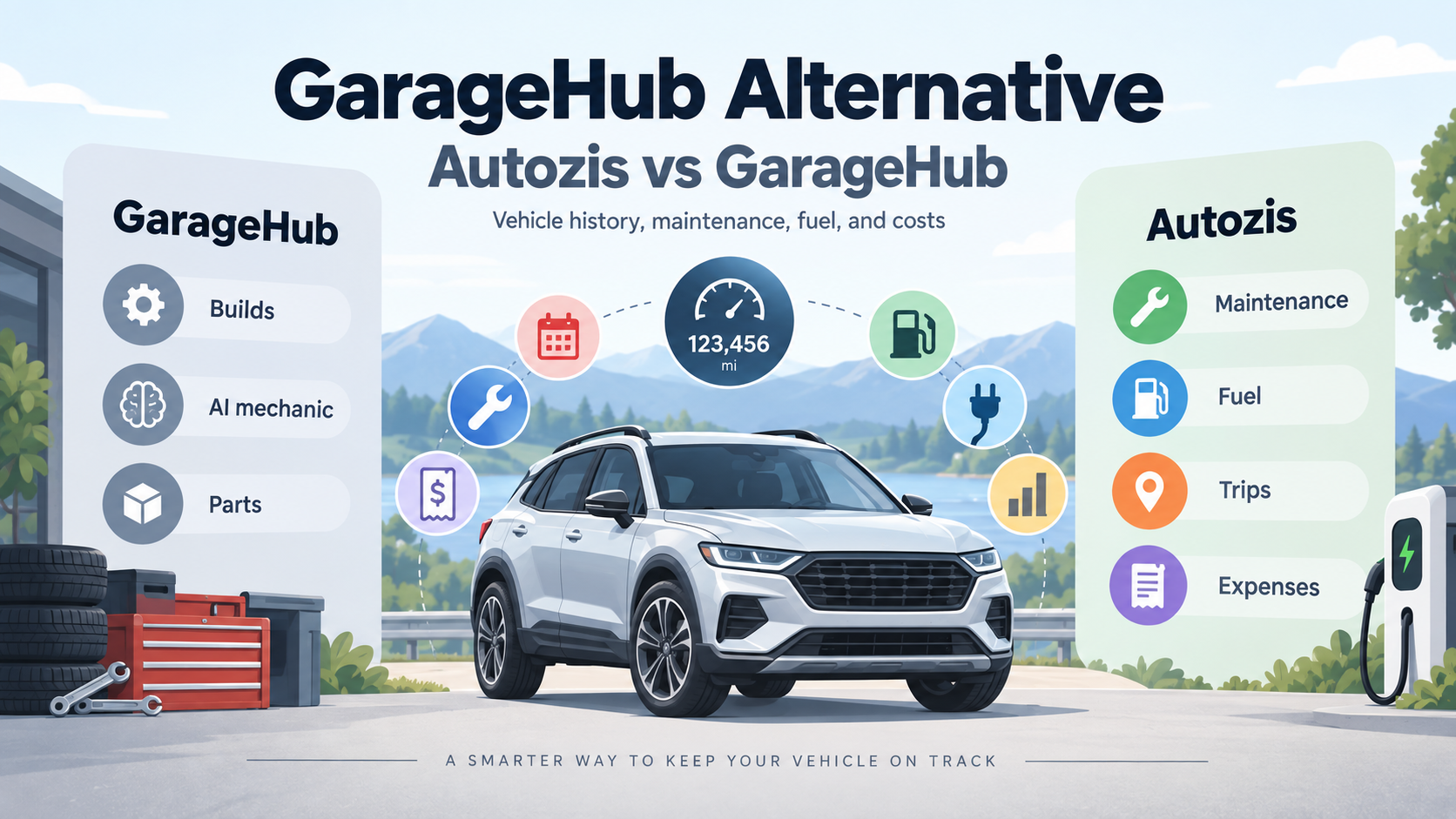
Illustrated comparison of GarageHub and Autozis for vehicle maintenance, fuel, trips, expenses, and vehicle history

Autozis vs GarageHub: the short version

Both apps are built around the idea that your vehicle history should be easier to manage than a folder of receipts, scattered notes, and forgotten service dates.

GarageHub is strongly oriented around the garage itself: servicing, parts, maintenance schedules, DIY work, project builds, and its Rev AI mechanic. Autozis takes a broader ownership-history approach. Maintenance sits alongside fuel or charging, mileage, trips, expenses, insurance, documents, reminders, statistics, reports, and other records attached to the same vehicle.

The most useful comparison is less about which app has the longer feature list and more about what you want your vehicle tracker to organize.

GarageHub vs Autozis feature comparison

The platforms overlap on maintenance and vehicle records, but their center of gravity is different.

Comparison of GarageHub and Autozis vehicle tracking features
Area GarageHub Autozis
Maintenance historyYesYes
Date/mileage remindersYesYes
Fuel trackingYesYes
EV charging recordsNot a primary documented focusDedicated EV charging tracking
MileageVehicle mileage and odometer contextMileage plus business/personal trip logs
General ownership expensesService/job costs and ownership spendRepairs, parking, inspections, accessories, insurance and other vehicle expenses
PartsDedicated parts inventory and parts used on jobsParts can be recorded with maintenance/service history
Project/build trackingStrong focus, including build plans and public build pagesNot a core Autozis workflow
AIRev AI mechanic focused on vehicle, service history and repair questionsAI Vehicle Assistant for vehicle history, maintenance, efficiency and cost questions
ReceiptsReceipt scanningReceipt scanning and attachments
DocumentsVehicle paperwork supportDedicated vehicle document organization
Reports/exportSupported, with advanced exports depending on planPDF reports plus supported Excel/CSV exports
Multiple vehiclesSupported; plan limits may applyMulti-vehicle garage
SharingFamily sharing available on supported planVehicle sharing
Best fitDIY maintenance, parts and project/build workflowsBroad day-to-day vehicle ownership history

Features and plan limits can change. Compare the current product pages before making a subscription decision.

Where GarageHub stands out

A fair comparison should start with what GarageHub does well. It is designed around the work being done to a vehicle, not merely as a maintenance reminder app.

A strong workshop and DIY focus

GarageHub is designed around the work being done to a vehicle. Service records can include parts, costs, mileage, photos, and other job details. For drivers who work on their own cars, that workshop-oriented structure can be useful.

Parts inventory

GarageHub goes beyond mentioning which parts were installed during a service. It includes a dedicated parts inventory workflow and can connect parts to maintenance work.

Project cars and builds

GarageHub puts notable emphasis on modifications, restorations, swaps, and long-term projects. Build plans can include milestones, parts, costs, photos, and notes, and GarageHub can create a public page for sharing a build.

Where Autozis takes a different approach

Autozis is less centered on the workshop bench and more centered on the complete ownership record. Keep services, parts, costs, mileage, notes, reminders, and supporting documents connected to the vehicle.

Fuel, EV charging, trips, expenses, insurance, documents, reports, and sharing can sit alongside the maintenance history instead of living in separate tracking systems.

Fuel and EV charging

Track refuels, fuel consumption, fuel costs, charging sessions, charging costs, energy use, and related statistics with fuel tracking and EV tracking.

Mileage and trips

Record business or personal trips using distance or odometer information and keep the context around each journey.

Expenses beyond servicing

Keep repairs, inspections, parking, accessories, insurance, and other ownership expenses connected to the vehicle.

Insurance and documents

Keep policy details, renewal information, files, receipts, and other vehicle documents with the records they belong to.

The biggest difference is what “digital garage” means to you

For someone rebuilding a project car, it might mean parts on the shelf, modifications, jobs completed, photographs, and the next repair.

For another driver, it might mean answering questions like:

  • How much has this car cost me this year?
  • When was it last serviced?
  • How much am I spending on fuel?
  • What does charging my EV cost?
  • How many business miles have I driven?
  • When does my insurance renew?
  • Where is the receipt for that repair?
  • What maintenance is coming next?

GarageHub and Autozis overlap on several of those jobs, but their center of gravity is different. GarageHub revolves heavily around maintenance, parts, builds, and its AI mechanic. Autozis revolves around connecting maintenance to the broader financial and usage history of the vehicle.

Which workflow fits you?

There is enough overlap that the best choice depends on the records and routines you use most often.

GarageHub may fit you when...

  • You do a significant amount of DIY maintenance.
  • Tracking a parts inventory matters to you.
  • You own project cars or modified vehicles.
  • You want to document a restoration or build.
  • A public build page is useful to you.
  • You specifically want an AI mechanic-style assistant closely tied to repair and workshop information.

Autozis may fit you when...

  • You want maintenance and everyday ownership records in the same place.
  • You track fuel economy and fuel costs.
  • You own an EV or plug-in hybrid and want charging records.
  • You need business or personal trip logs.
  • You want to understand expenses beyond maintenance jobs.
  • You want insurance, receipts, and vehicle documents organized.
  • You manage several vehicles.
  • Reports and a broader vehicle history are important to you.

There is enough overlap that the best way to compare them is with your own vehicle and your own records. Start with the workflow you use most often rather than trying to compare every feature in isolation.

Compare Autozis and GarageHub with a real vehicle

Use the same vehicle and records you already know so the comparison reflects your actual routine.

Add one vehicle

Start with a vehicle you currently drive so the comparison reflects your actual routine.

Record something you already do

Add a service, refuel or charging session, trip, or ownership expense.

Add the surrounding context

Connect the relevant mileage, receipt, reminder, document, cost, or note.

Review the history

Look at how easily you can answer the questions you normally have about the vehicle.

Do not migrate everything until you are comfortable with the new workflow.

Switching from GarageHub to Autozis

GarageHub supports exporting vehicle information in formats that can include CSV depending on the plan and current product features. Autozis also supports importing selected vehicle records and exporting selected data.

Never assume that every GarageHub field maps directly into Autozis. Check the current Autozis import options against the format you have before relying on the new history.

Keep the original export

  1. Export or otherwise preserve your GarageHub history.
  2. Keep the original files as a backup.
  3. Check Autozis' current import options against the exported format.
  4. Import only supported records.
  5. Review dates, mileage, costs, and vehicle assignments.
  6. Keep your original GarageHub data until you are satisfied with the result.

Autozis vs GarageHub: choose based on the records you actually need

GarageHub goes particularly deep into the workshop side of vehicle ownership with parts inventory, build plans, project pages, and Rev.

Autozis focuses on bringing maintenance into a broader vehicle record that can also include fuel, charging, trips, expenses, insurance, documents, reminders, reports, and sharing.

If your main question is “What am I doing to this car?”, GarageHub's build and mechanic-oriented workflow deserves a close look. If your question is broader — “What has happened with this vehicle, what has it cost me, and what do I need to remember next?” — Autozis gives you a different approach to consider.

The simplest comparison is to try it with one vehicle before moving anything else.

Frequently Asked Questions

Is Autozis a GarageHub alternative?

Yes. Both products can organize vehicle maintenance and history, but they emphasize different workflows. GarageHub focuses heavily on servicing, parts, builds, and its Rev AI mechanic, while Autozis connects maintenance with fuel, EV charging, trips, expenses, documents, reminders, reports, and broader vehicle history.

What is the difference between Autozis and GarageHub?

GarageHub has a strong DIY and project-car orientation, including parts inventory, build plans, public build pages, maintenance records, and an AI mechanic. Autozis focuses on a wider day-to-day ownership record including maintenance, fuel, EV charging, mileage, trips, expenses, insurance, documents, reports, and sharing.

Does GarageHub track fuel?

Yes. GarageHub supports logging fill-ups and uses those records as part of its vehicle cost and mileage history.

Does Autozis track fuel?

Yes. Autozis supports refuel records, fuel costs, consumption, and fuel-related statistics.

Can Autozis track electric vehicles?

Yes. Autozis includes dedicated EV charging records for charging costs, energy consumption, and efficiency information.

Does Autozis have an AI assistant?

Yes. Autozis includes an AI Vehicle Assistant designed for questions about vehicle history, maintenance, efficiency, and costs. It is not identical to GarageHub's Rev mechanic; the two AI workflows are positioned differently.

Which app is better for project cars?

Avoid a blanket better claim. GarageHub explicitly provides project-oriented features including build plans, modification tracking, parts, milestones, photos, and public build pages. Drivers whose main requirement is documenting a project or restoration should compare those GarageHub-specific features closely. Autozis is aimed more broadly at ongoing ownership records such as maintenance, fuel or charging, mileage, trips, expenses, documents, and reports.

Which app is better for tracking total vehicle ownership?

Autozis is designed to connect many categories of ownership records, including maintenance, fuel or charging, trips, expenses, insurance, documents, reminders, and reports. GarageHub also tracks maintenance costs, fuel, paperwork, and other records, but places additional emphasis on workshop, parts, project-build, and AI-mechanic workflows. Choose based on which records matter most to you.

Can I move my GarageHub history to Autozis?

Potentially, depending on the format of the records you export and Autozis' currently supported import formats. Export and preserve your GarageHub data first, then check Autozis' current import options before migrating. Review imported records before deleting or abandoning the original history.

Can I manage multiple vehicles with Autozis?

Yes. Autozis supports separate vehicle profiles so maintenance, fuel or charging, trips, expenses, documents, and other history remain attached to the correct vehicle.

Is Autozis free to try?

Autozis provides free access to most base features. Some advanced functionality may require a subscription. Check the current product details before choosing a plan.

See which vehicle history fits the way you drive.

Add one vehicle to Autozis and record a recent service, fuel stop, charging session, trip, or expense.

You do not need to migrate your entire GarageHub history to compare the workflow.

Start with the records that matter most to you.

An unhandled error has occurred. Reload